

Why ‘fastest OpenAI model’ matters today — and what this guide will deliver
In 2026, the world of artificial intelligence changes super fast. New AI models come out all the time, making it hard to keep up. One thing that matters a lot, especially for teams building products or doing research, is speed. Knowing which is the fastest OpenAI model can make a big difference in how well things work.
Think about it this way: when you ask an AI a question, how long does it take to answer? That waiting time is called "latency." If it’s too long, people might get frustrated or your tools might not work right. Another important speed measure is "throughput." This is about how many questions the AI can answer at once. If your business has many users, you need high throughput to handle all their requests without slowing down.
For example, when we talk about how fast an AI model is, we often look at "percentiles."
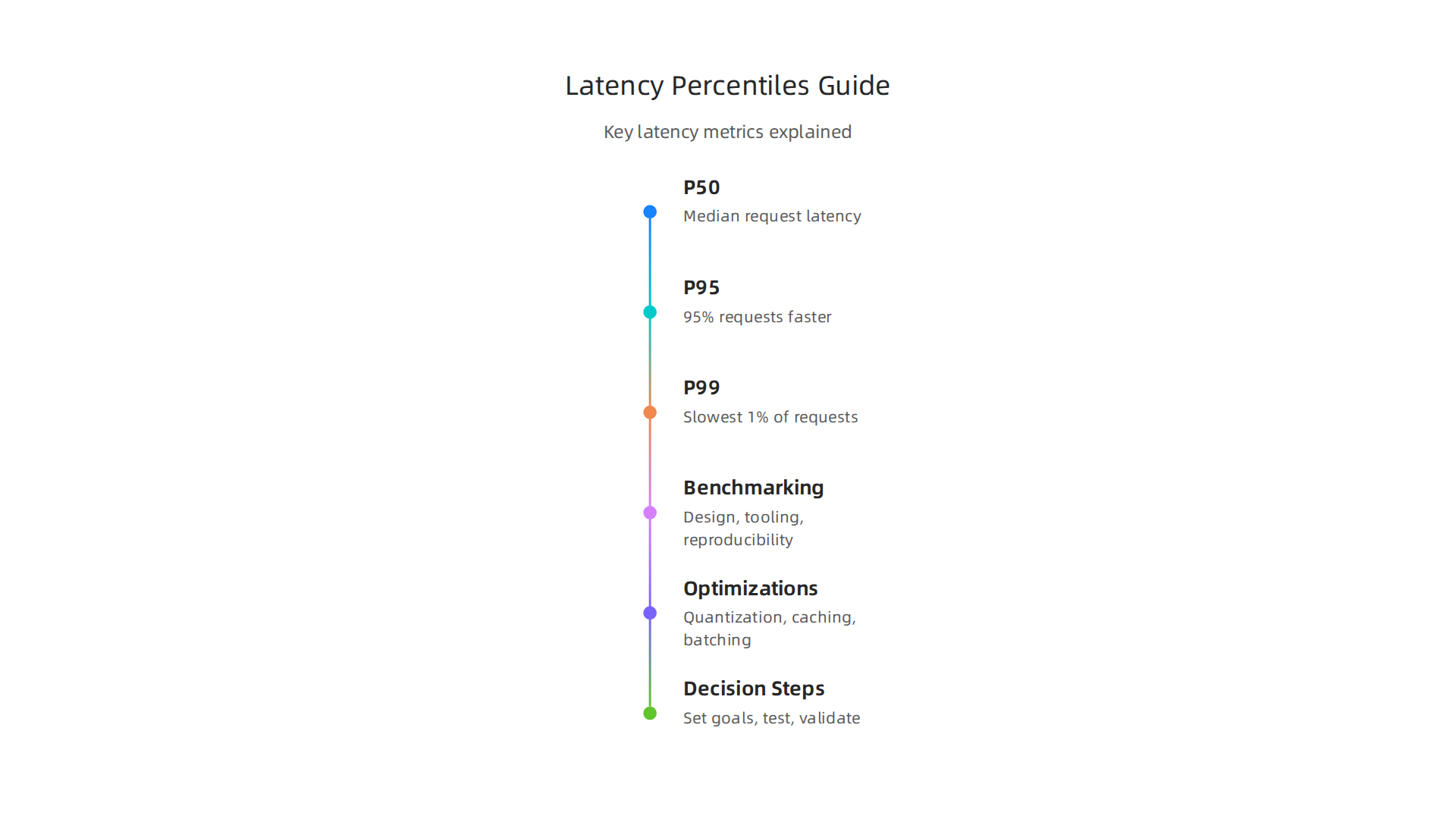
- P50 latency tells you the typical speed. Half of all requests are faster than this. It shows what most users experience.
- P95 latency means 95% of requests finish faster than this time. Only 1 out of 20 users waits longer. This helps you see if some users are having a slightly slower experience.
- P99 latency looks at the very slowest 1% of requests. This number is really important because it shows how your system performs for those unlucky few who get the longest wait times. This is often where big problems hide. You can learn more about these measures from sources like P50 vs P95 vs P99 Latency Explained or by watching a simple explanation of Performance Metrics Explained Simply. Understanding these different speeds is key to making smart choices for your projects.

In this guide, we’ll give you a clear plan to understand what "fastest" truly means for an AI model. We’ll show you how to measure speed in ways that matter for real-world projects. You’ll learn how to pick the right OpenAI model by looking at its speed, how many tasks it can do, and what trade-offs you might need to make. This will help you make better choices, whether you’re working on an ai image editing model, a runway ai image-to-video generator, or even a powerful tool like deepsearch ai. Our goal is to help you stay ahead in the fast-moving AI world and drive real business value.
To stay on top of the latest advancements, you might want to consider subscribing to a dedicated AI newsletter.
Get clear daily AI updates from The Deep View Newsletter. The AI Newsletter Worth Reading
Learning about AI is a journey, and understanding how to apply these new technologies can greatly impact your work. You might find it helpful to explore resources on how to use AI for business growth in 2026 to see how speed fits into a bigger strategy.
When we talk about the fastest OpenAI model, it’s not just one simple idea. Speed can mean different things, and it’s important to know what you’re looking for. Let’s break down the main ways to think about how fast an AI model really is.
Different Kinds of Speed: Latency and Throughput
As we touched on before, "latency" is about how long you wait for one answer from the AI. But there are different levels of latency that give us a full picture:
- P50 Latency (Median): This is the most common speed. Half of all requests will be faster than this number, and half will be slower. It tells you what most users will experience. Think of it as the "average" wait time.
- P95 Latency: This looks at the slower side. 95% of all requests finish faster than this time. Only 5 out of 100 users will wait longer. This helps show if a few users are having a much worse experience.
- P99 Latency: This is for the very slowest requests, the "tail" of the problem. 99% of requests are faster than this. Only 1 out of 100 requests takes longer. It’s really important because these slow requests can frustrate users the most or cause big problems for important tasks, like with a
deepsearch aitool needing quick results. Knowing your P99 latency helps you catch these rare but critical slowdowns. You can find more details about these important measures in articles explaining performance percentiles: p50, p95, p99 Explained (2026) and what is P99 latency? Understanding the 99th percentile of performance.
Then there’s "throughput." This isn’t about how fast one answer comes, but how many answers the AI can give in total over a period of time. It’s often measured in "tokens per second." If you have many people using an ai image editing model or a runway ai image-to-video generator at the same time, you need high throughput to handle all their requests without everything slowing down for everyone.
Another part of throughput is how many "concurrent requests" the model can handle. This means how many questions or tasks it can work on at the very same time.
Finally, "end-to-end request time" looks at the total time from when you send a request to when you get the full, usable answer back. This includes all the small steps in between, not just the AI’s processing time.
What Users Feel vs. What Developers Measure
Here’s an interesting point: what a developer sees in their tests might be different from what a user actually feels.
- Developer Benchmarks: These are the technical numbers, like P99 latency or tokens per second. They are super helpful for making a
gpt model comparisonand picking the bestfastest openai modelfor raw power. - User-Perceived Speed: This is how fast the AI feels to the person using it. Sometimes, a tiny delay you can’t even measure might make an app feel "slow" if the user expects instant results. For example, if an AI is generating a creative output, a slightly longer wait might be okay if the result is amazing. But for a quick chatbot answer, even a small lag can be annoying.
These two ideas can sometimes be different. A model might look fast on paper, but if the app around it adds delays or the user has a slow internet connection, the actual experience can still feel sluggish. That’s why it’s important to look at both the raw numbers and how real people react when you choose an AI model for your project.

This holistic view is critical throughout the 2026 AI product development lifecycle.
After understanding the different ways to think about speed, the next big step is learning how to truly measure it. This means setting up good tests, or "benchmarks," so we can compare different AI models fairly. If you want to find the fastest OpenAI model, you need to know how to test it right.
Best Practices for Fair Benchmarking
To get a real picture of an AI’s speed, especially when doing a gpt model comparison, you need to follow some important rules.
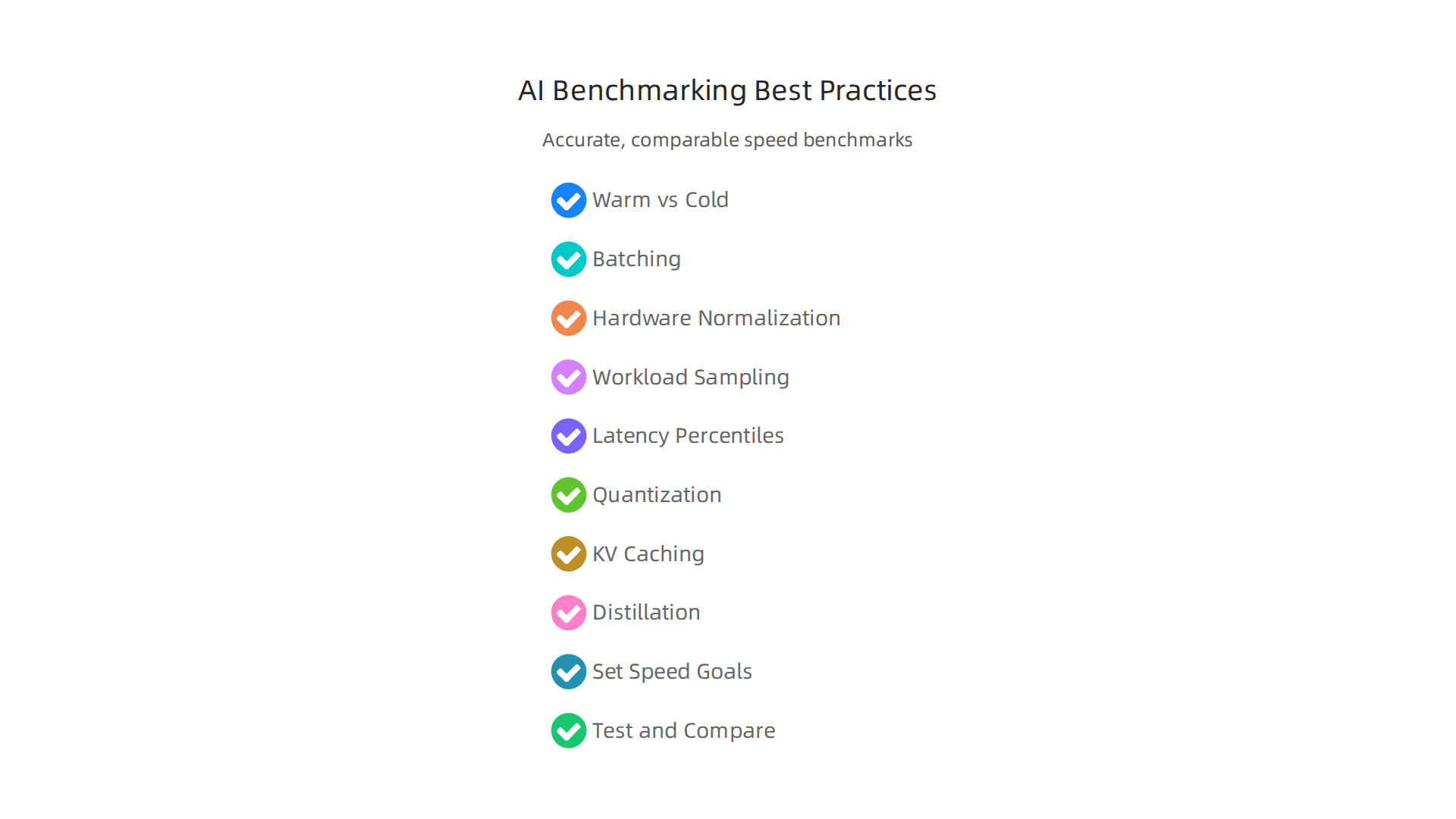
- Warm vs. Cold Starts: Imagine starting your car. It’s usually a bit slower right after turning it on (cold start) than when it’s already been running for a while (warm start). AI models are similar. A "cold start" measures the very first time the model runs, including all the setup time. A "warm start" measures its speed after it’s already loaded and ready to go. For many uses, like a
deepsearch aitool that’s always on, warm start times are more important. - Batching: This is like sending a group of questions to the AI at once instead of one by one. If an AI can answer many questions at the same time (in a "batch"), it can make the overall process much faster, especially for tasks that need high throughput, like with an
ai image editing modelor arunway ai image-to-video generator. Studies show that tools like vLLM can greatly improve throughput when handling many users at once by using smart batching methods and new ways to manage memory, compared to others like HuggingFace TGI for high-concurrency tasks, though TGI might be better for single-user latency situations. You can read more about this in a performance study of vLLM and HuggingFace TGI. - Hardware Normalization: AI models run on different computer parts (hardware). A model might seem fast just because it’s running on a super powerful computer. To compare models fairly, you should try to test them on the same kind of hardware or adjust the results to account for hardware differences. This creates a level playing field.
- Workload Sampling: You also need to ask the AI real-world questions that truly reflect how it will be used. Using a mix of easy and hard questions, short and long requests, gives a much better idea of how the model performs in daily use. Many use popular datasets like ShareGPT for these kinds of tests, as highlighted in "Benchmarking LLM Serving Systems," which also discusses showing benchmarking results.
Tooling Ecosystem and Reproducible Benchmarks
In 2026, there are many tools and ways to test AI speed. Tools like NVIDIA GenAI-Perf help measure key things such as the time it takes for the first word to appear and how many words per second the AI generates. This gives you solid numbers for your tests, as detailed in the LLM Inference Benchmarking Guide.
A good benchmark should also be "reproducible." This means someone else should be able to run the same tests and get the same results. This often involves sharing the exact code scripts, the types of questions asked, and the hardware used.
When you report your benchmark results, it’s helpful to put them in a clear table. This table should show important numbers like:
- The average time for an answer (latency)
- The number of words generated per second (throughput)
- Details about the hardware used
- The kind of questions or "workload" the AI was given
This kind of clear reporting helps everyone understand how different AI models stack up. It also helps you choose enterprise generative AI platforms for 2026 business impact by providing reliable data.
The world of AI moves incredibly fast. Staying informed about the latest models, benchmarks, and best practices is key.
Get clear daily AI updates from The AI Newsletter Worth Reading.
After learning how to set up fair tests, let’s look at how OpenAI’s models stand out in 2026. When you’re trying to find the fastest openai model, it’s important to know what makes each one special.
3) The landscape in 2026: how recent OpenAI model families compare on speed
OpenAI, a leader in AI, makes different kinds of GPT models. Each one is built for specific jobs. For example, in 2026, many people use GPT-5.5. It’s their strongest model for hard tasks like thinking deeply and writing computer code. But if you need an AI that gives answers super fast and doesn’t cost too much, smaller models like GPT-5.4 mini or GPT-5.4 nano are better. These smaller versions are made to be very quick. They are great for times when you need an answer right away, which helps a lot when you do a gpt model comparison to find speedy options.
OpenAI introduced GPT-5.4 mini and nano for low-latency AI, meaning they give fast responses Introducing GPT-5.4 mini and nano. They are known for performing well in coding jobs while running much faster. OpenAI also keeps making special "realtime" models, like gpt-realtime-2.1, for really fast voice and mixed-media chats. These new models improve speed by at least 25% for voice tasks, handle noise better, and are stronger at understanding instructions. You can learn more about which OpenAI models to choose based on your needs in the OpenAI API Models documentation.
When AI companies talk about their models, they often focus on the best features. It’s smart to also check independent tests. These tests, called benchmarks, follow clear rules to give a fair picture of how different AI models work. For example, if you compare the fastest openai model with other models like Gemini or Claude, independent benchmarks show numbers like "Time to First Token" (how long it takes for the first word to appear) and "Output Speed" (how many words it generates each second). This helps you see real performance data, not just what a company says. For instance, one comparison shows details on Fastest LLM API in 2026: Gemini vs OpenAI vs Claude Latency. This way, you can make informed decisions about picking the right top AI platforms for business growth for your own needs.
Finding the fastest AI model isn’t just about how many words it can make per second. Often, when you push for more speed, you might lose a little bit of accuracy. It’s like a race car: it’s super fast, but it might not be the most comfortable or easy to drive for a long trip. Knowing when to choose speed over accuracy is key when doing a gpt model comparison.

Speed versus accuracy: trade-offs, evaluation metrics, and when to sacrifice accuracy
In the world of AI in 2026, every choice has a give and take. If you need an answer right away, like for a quick chat bot, you might not need it to be perfectly correct every single time. A model that gives an answer in less than a second might be better, even if it makes a small mistake here and there. This is because getting an instant response often feels more helpful to the user. For these kinds of fast jobs, like search suggestions or simple customer service, a small dip in accuracy for a big boost in speed is often worth it. Benchmarks in 2026 show that different AI models have various speeds, measured by how long it takes for the first word to appear and how many words they create each second AI Model Latency Benchmarks 2026: TTFT & TPS Data.
However, for other tasks, accuracy is super important. Think about an AI that helps write computer code or gives medical advice. Here, even a tiny mistake can cause big problems. For these jobs, you’d rather wait a few more seconds for a perfectly correct answer than get a fast but wrong one. Big, powerful models like GPT-5.5 are often chosen for these harder tasks because they are known for their high accuracy, even if they aren’t the fastest openai model out there. Deciding between speed, accuracy, and cost is a big part of working with AI, as discussed in an OpenAI DevDay 2024 video about balancing these factors.
The good news is that people are finding smart ways to make AI models faster without losing too much accuracy. One way is called "distillation." This is where a big, smart model teaches a smaller model how to do tasks. The smaller model learns the important parts and can then work much faster. Another method is "quantization," which makes the numbers inside the AI model simpler, so the computer can process them quicker. Lastly, "retrieval augmentation" helps models by giving them extra information to look up, like a smart helper that quickly finds facts. This means the AI doesn’t have to "think" as hard or as long to get to the right answer. These methods help make AI more efficient, as new tools allow for optimizing model inference for latency.
Using these methods helps make many AI tools better. For example, some AI image editing models or tools like a runway ai image-to-video generator can benefit from these speed boosts, especially if they need to work quickly without making too many visual errors. Understanding these trade-offs and methods is important for anyone using AI to solve problems.
To stay on top of all the latest changes in AI and understand how different models stack up, you need a reliable source.
Get clear daily AI updates from The AI Newsletter Worth Reading.
The last section talked about how distillation and quantization make AI models faster without losing too much accuracy. Now, let’s dive into more ways engineers "shave milliseconds" off AI models.
These clever tricks help make even the fastest openai model work even better and quicker.
One key technique is quantization, which we mentioned earlier. It means changing the complex numbers inside an AI model into simpler ones. Think of it like using fewer colors to draw a picture, but still keeping it clear enough to understand. This makes the model use less memory and process information much faster. For instance, using 4-bit or 8-bit numbers instead of 32-bit can significantly speed up tasks like those performed by an ai image editing model [ML and LLM Inference Latency: 10 techniques … – Jam with AI].
Then there’s caching. Imagine an AI is answering a long question. It will produce one word, then the next, and so on. As it works, it often repeats some calculations. With "KV caching," the AI stores these repeated bits of information so it doesn’t have to figure them out again. This saves time and computer power, especially when the AI is having a long conversation or creating a detailed output.
Another smart method is batching. Instead of handling each request one by one, AI systems can group many requests together and process them all at once. This is like a baker making a big batch of cookies instead of one cookie at a time. "Continuous batching" or "dynamic batching" means the AI keeps its computer parts busy by continuously adding new requests to be processed. This helps increase the total amount of work the AI can do at once, also known as throughput, and lowers delays [LLM Inference Optimization: Cut Cost & Latency at Every …].
Distillation also plays a big role. It’s where a large, powerful AI model trains a smaller, simpler one to do similar tasks. The smaller model learns the important things and can then run much faster and use less energy. This is often used for AI models that need to work on smaller devices or respond very quickly.
Other helpful techniques include pruning, which means cutting out the less important parts of an AI model to make it smaller and faster. Also, "prompt trimming" helps by making the questions or instructions you give the AI shorter and more focused. These advanced methods, often used by companies like deepsearch ai, are crucial for optimizing AI tools like a runway ai image-to-video generator. When you compare different AI models, like in a gpt model comparison, these engineering choices explain a lot about their speed, cost, and overall performance. Learning these strategies is a practical step for anyone looking to apply AI effectively, as you can explore in more depth through How to Use AI: Practical Applications.
Making AI models faster is one thing, but where you actually run them also makes a huge difference. Think about it: a speedy race car still needs a smooth track to show what it can do. For AI apps that need to respond super fast, like a fastest openai model making instant suggestions or an ai image editing model changing pictures in real time, choosing the right place to deploy the AI is key. This involves looking at cloud, edge, and hybrid setups, along with how servers are built.
Deployment Choices for Low-Latency Apps: Cloud, Edge, Hybrid, and Server Architecture
Cloud Deployment: Power in the Sky
When we talk about cloud deployment, it means running your AI models on big computers in large data centers, often far away. Companies like deepsearch ai might use the cloud for their powerful models. The good part is these cloud services offer very strong Graphics Processing Units (GPUs) that can handle tough AI tasks. They can even give you guarantees about how fast your AI will run.
However, a challenge with the cloud is latency. This is the small delay it takes for information to travel from your device to the cloud and back. If your users are far from the data center, that small delay can add up.
Edge Deployment: AI Up Close
Edge deployment means running the AI model on devices much closer to where the action happens. This could be on a special device in a factory, on a smart camera, or even on your phone. The main benefit here is very low latency. Imagine a runway ai image-to-video generator creating content right on your workstation without sending huge files to a faraway server.
Edge devices often use special "edge accelerators" which are chips designed to run AI fast, even if they’re not as powerful as big cloud GPUs. The trade-off is that edge devices might not have as much power as cloud servers, and managing many edge devices can be more complex than managing one big cloud setup.
Hybrid Deployment: The Best of Both Worlds
Sometimes, combining cloud and edge makes the most sense. This is called hybrid deployment. You might use the edge for quick, simple AI tasks that need instant answers, and send more complex tasks to the powerful cloud. This setup can give you both speed and power, balancing the advantages of each.
Smart Server Architecture for Speed
Beyond where you put your AI, how you set up your servers also matters a lot. Here are some smart ways to make AI systems respond quickly:
- Model Sharding: Imagine your AI model is a very long book. Instead of one computer trying to read the whole book at once, you break the book into chapters and have different computers read different chapters at the same time. This is called model sharding, and it lets very large models run faster by spreading the work across many machines.
- Request Routing: This is like a smart traffic cop for your AI requests. When someone asks a question, the system figures out which server can answer it fastest and sends the request there. It might pick the server that’s closest or the one that’s not too busy.
- Autoscaling Policies: As more people use an AI app, you need more computer power. Autoscaling automatically adds more servers when things get busy and takes them away when they’re not needed. This makes sure that even a popular
fastest openai modelkeeps running smoothly without slowdowns. This is key for efficient enterprise AI tooling. - Fallback Strategies: What if one server stops working? A good system has fallback strategies. This means it has a backup plan to send requests to another server so users don’t even notice a problem.
By carefully choosing where to deploy AI and how to set up the servers, developers can make sure that even the most advanced AI models are not just smart, but also super fast. If you’re comparing different AI models, like in a gpt model comparison, remember that their deployment and architecture choices are just as important as the model itself when it comes to real-world speed and cost. You can learn more about how different serving strategies help with optimization in LLM Inference Optimization, according to research from 2026 on Quantization, Batching, and Serving Strategies in LLM.
Staying informed about these advancements is crucial for anyone working with AI in 2026.
Get clear daily AI updates from The AI Newsletter Worth Reading.
Choosing the right spot to run your AI is a big deal for speed. But what about picking the right AI model itself? It’s like picking a race car; you need to choose the best car for the track you’re on. This means thinking about how fast you need the AI to respond and how smart you need it to be.
A practical decision framework: choosing the right OpenAI model and deployment path
To pick the best AI model and how to run it, follow these steps:
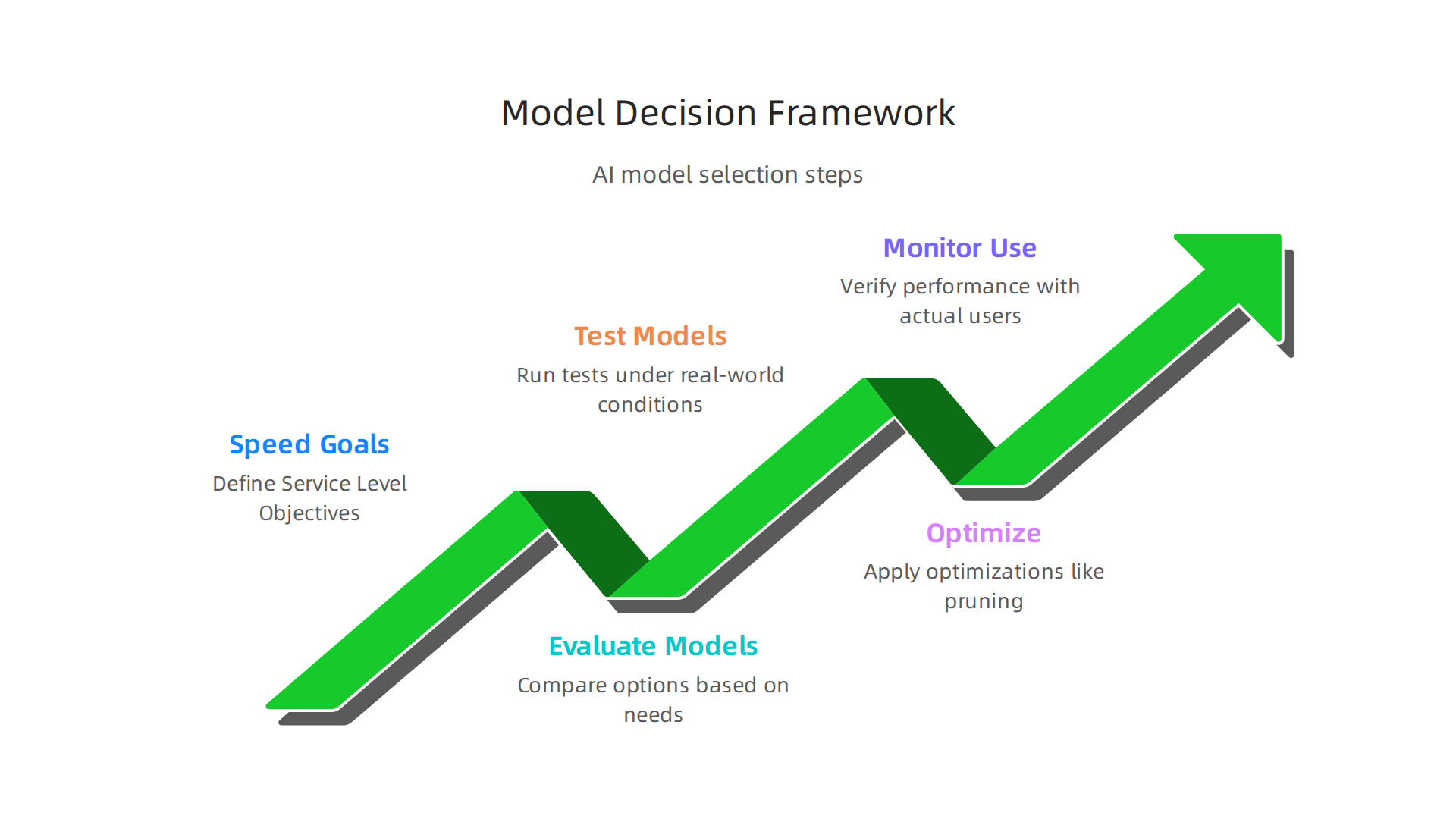
1. Set Clear Speed Goals
First, you need to decide exactly how fast your AI app needs to be. These are called Service Level Objectives (SLOs). For example, if you have an ai image editing model that changes pictures in real time, you might need it to respond in less than a second. For a runway ai image-to-video generator, the first part of the video might need to show up very quickly. Knowing your speed goals helps you choose. It’s important to look at both "Time To First Token" (TTFT), which is how fast the AI starts to answer, and "Tokens Per Second" (TPS), which is how fast it keeps answering. Aiming for responses in under two seconds is good for chat apps, and under one second is even better, according to experts studying AI Model Latency Benchmarks 2026: TTFT & TPS Data.
2. Find Possible Models
Next, look at different AI models that could do the job. This is where you might do a gpt model comparison. Some models are built to be super fast, like a fastest openai model, but might not be as good at very complex thinking. Others, like those used by deepsearch ai, might be incredibly smart but a little slower. You might also want to explore how companies like Amazon are Optimizing AI responsiveness: A practical guide to Amazon Bedrock latency-optimized inference. Sometimes, a smaller model can do simpler tasks much faster, saving the bigger, smarter models for tougher jobs. One expert suggests using smaller models for quick tasks like classifying things, and larger models only for really complex questions to avoid unnecessary slowdowns. You can learn more about how to make these choices on Rakesh Kumar’s Post – LinkedIn.
3. Test and Compare
Once you have a few models in mind, you need to test them. This means running special tests to see how fast each model responds under real-world conditions. These tests help you see which model actually meets your speed goals. Also, remember that how you store and serve your models can affect speed, especially for large language models, as discussed in Low-Latency Serverless Inference for Large Language Models.
4. Make It Faster With Optimizations
There are ways to make models run even faster. This can include using "pruning" which removes parts of the model that aren’t really needed, or "quantization" which makes the model use less computer power. These steps can often make a big difference in speed without losing much quality. You can learn about how these techniques fit into the whole process by looking at a Practical Guide to MLOps for Low-Latency Applications.
5. Check in Real Use
Finally, after you’ve picked a model and applied optimizations, you need to test it again in the real world. This means letting actual users try it out and making sure it still meets your speed goals. It’s about making sure your choices work well for everyone.
When to Pick Speed Over Smarts
It’s helpful to have a simple checklist:
-
Choose a fast model (latency-optimized) when:
- Users need instant answers, like in a live chat or game.
- The AI is doing simple, quick tasks, like giving a short answer or making a small change to an image.
- You want the
fastest openai modelto improve the user’s experience by making it feel smooth and responsive.
-
Choose a smart model (capability-first) when:
- The AI needs to solve very complex problems, like advanced research for
deepsearch ai. - The task requires deep understanding or creative thinking, and a small delay is acceptable.
- Accuracy and quality are much more important than instant speed.
- The AI needs to solve very complex problems, like advanced research for
By following this framework, you can make smart choices about your AI models and deployments.

This helps your AI apps not just be powerful, but also quick and easy for people to use.
For staying up to date with all the latest in AI, don’t miss out. The AI Newsletter Worth Reading offers clear daily updates.
Summary
This guide explains why finding the fastest OpenAI model matters in 2026 and gives a practical roadmap for measuring and using speed where it counts. It defines key performance metrics (P50, P95, P99, throughput, TTFT, TPS), shows how user-perceived speed can differ from raw benchmarks, and lays out fair benchmarking best practices like warm vs cold starts, batching, and hardware normalization. You’ll learn engineering techniques—quantization, distillation, caching, pruning, dynamic batching—and deployment strategies across cloud, edge, and hybrid setups that materially affect latency. The article also provides a concise decision framework to balance speed, accuracy, and cost so you can pick and optimize the right OpenAI model for real-world apps and SLOs.