

Artificial intelligence (AI) is everywhere in 2026, making big changes in how we work and live. But here’s a secret: AI is only as good as the information it uses. This information is called data. That’s why understanding the basics of data, or "data 101," is so important for anyone working with AI today.
Why ‘Data 101’ matters now a quick orientation for busy AI professionals
Think of data as the fuel for your AI engines. Without good fuel, even the best engine won’t run well. For AI professionals, having a strong grasp of data fundamentals helps you make smarter choices. You can better understand what your AI models are doing, why they make certain predictions, and how to improve them.

This basic understanding helps speed up your AI projects and leads to better results for your company.
What exactly is data? It’s simply any information you gather that is set up in a way that makes it useful to look at and understand Data 101: The Fundamentals of Data Science. This can be numbers, words, pictures, or even sounds. Every time you use your phone or buy something online, you create more data points. Being good at understanding and using data is called data literacy. It’s a key skill for leaders in AI today. You can learn more about this by reading our guide on mastering data foundations and data literacy for AI leadership.
It’s common for people new to this area to face challenges. The world of data and introduction to data science can feel confusing at first. There’s a lot of special language or "jargon." Data comes in many forms, called "formats," which can be tricky to handle. And making sure your data is good, known as "data quality," is super important. Bad data quality can lead to bad AI decisions. Also, choosing the right tools for working with data can be hard. Knowing what is data modeling or how to clean data are big steps many people need to learn.
Don’t worry, you don’t need to become a data scientist overnight. Our goal with this guide is to break down these big ideas into simple steps. We will give you clear, easy-to-understand explanations and point you to trusted places to learn more. This way, you can confidently use data to make your AI work even better.
To stay on top of all the fast changes in AI and technology, make sure you get the latest insights delivered straight to your inbox.
The AI Newsletter Worth Reading
We talked about how important data is for AI, and that understanding the basics, or data 101, can seem tricky at first. To make it easier, let’s learn some common words used when talking about data. These words are like building blocks. Once you know them, the world of introduction to data science will make a lot more sense.
Core terminology: datasets, observations, features, labels, and metadata
When you work with data for AI, you’ll often hear terms like "datasets" or "features." Knowing what each one means helps you speak the same language as data experts and build better AI.
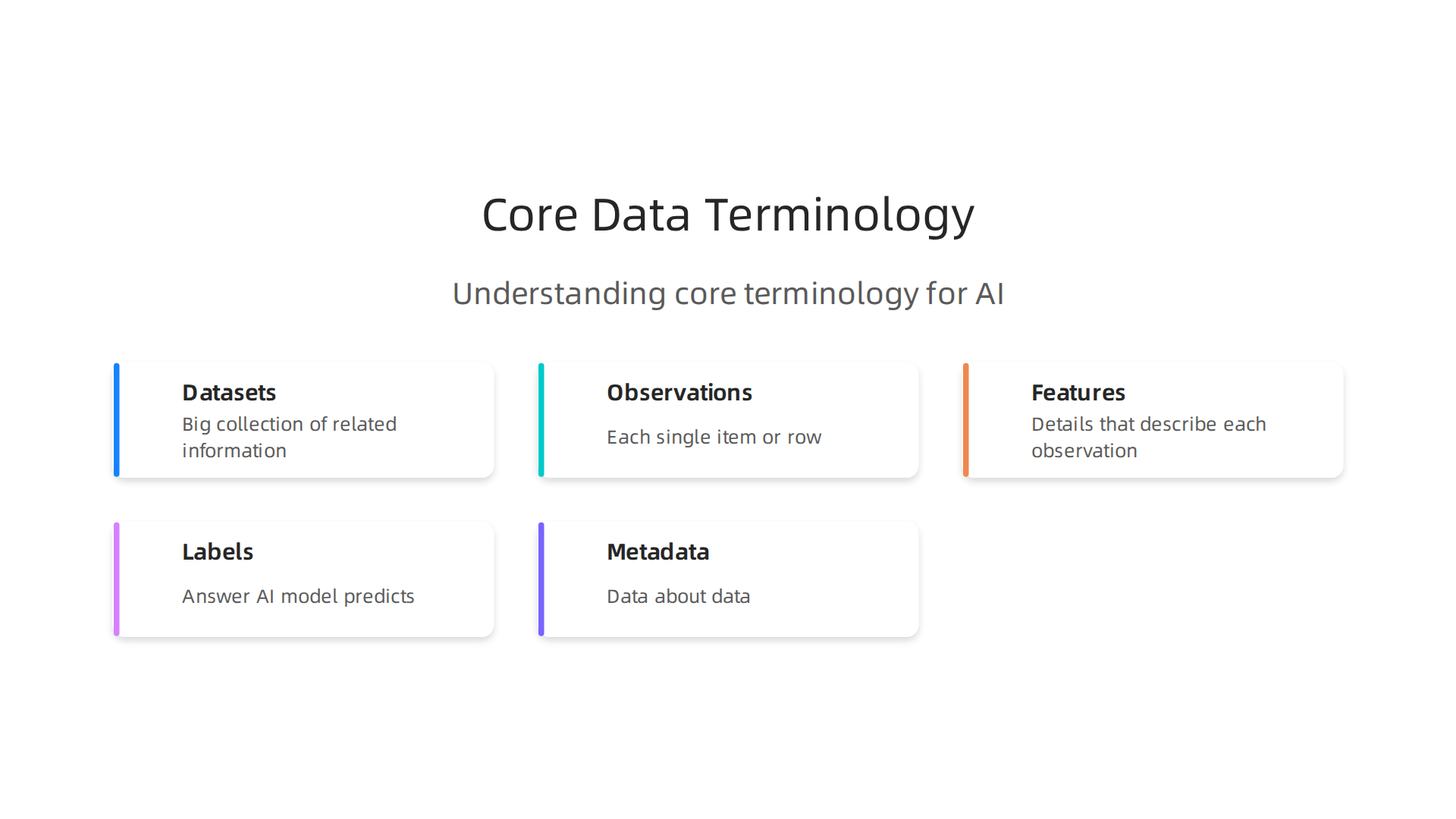
Datasets
Think of a dataset as a big collection of related information, all put together in one place. It’s like a special folder filled with many similar items. For example, a spreadsheet showing what everyone bought from an online store last month could be a dataset. Each piece of information in it, like facts or numbers, is part of this collection Principles of Data Science.
Observations
Inside a dataset, each single item or row is called an observation. If our dataset is about online store purchases, then one observation would be everything about one specific customer’s order. It’s like one complete data point that tells a full story about that one event or person.
Features
Features are the details or characteristics that describe each observation. For our customer’s order, features would be things like:
- The customer’s age
- What product they bought
- How much they spent
- The date of their purchase
These are the pieces of information that an AI model will look at to learn and make decisions. You might also hear these called "variables."
Labels
A label is the answer we want our AI model to predict or find out. It’s often the "target" information we are trying to understand. For example, if we’re trying to figure out which customers might buy again, the label could be "Will buy again?" (Yes or No). The AI looks at the features (age, product, amount spent) and tries to learn how these features lead to the label (buying again or not).
Metadata
Metadata is like "data about data." It’s extra information that helps us understand the main dataset better. It doesn’t tell us about the customer’s purchase itself, but rather how that purchase data was gathered, when it was collected, or who collected it. For example:
- When was this dataset created?
- What do the different feature names (like "age" or "product") really mean?
- How accurate is this data?
Metadata is super important because it helps us trust the data and use it correctly. It also helps others understand how your AI model works, making your work more reliable ISO/IEC 5259 Artificial intelligence. Without good metadata, it’s harder to make sure your AI models are fair and accurate.
It’s good to know that sometimes these terms can be used in slightly different ways depending on who you’re talking to or what book you’re reading. But the basic ideas stay the same. As you dive deeper into data 101 and learn more about things like what is data modeling, these terms will become second nature. Understanding them well is a key step for anyone who wants to work with AI, even if you don’t plan to become a full-time what does a data scientist do. It helps you know what your AI is doing and why. Learning what is data analytics is the next logical step to make sense of all these pieces of information.
Learning about the different types of data is another big step in your data 101 journey. Just like there are different kinds of building blocks, there are different ways data can be shaped. Knowing these types helps you understand how they are stored, used, and how AI models can learn from them.
Types of data: structured, unstructured, semi-structured, and time-series
When we talk about data for AI, it usually falls into a few main types. Each type has its own way of being organized and processed.
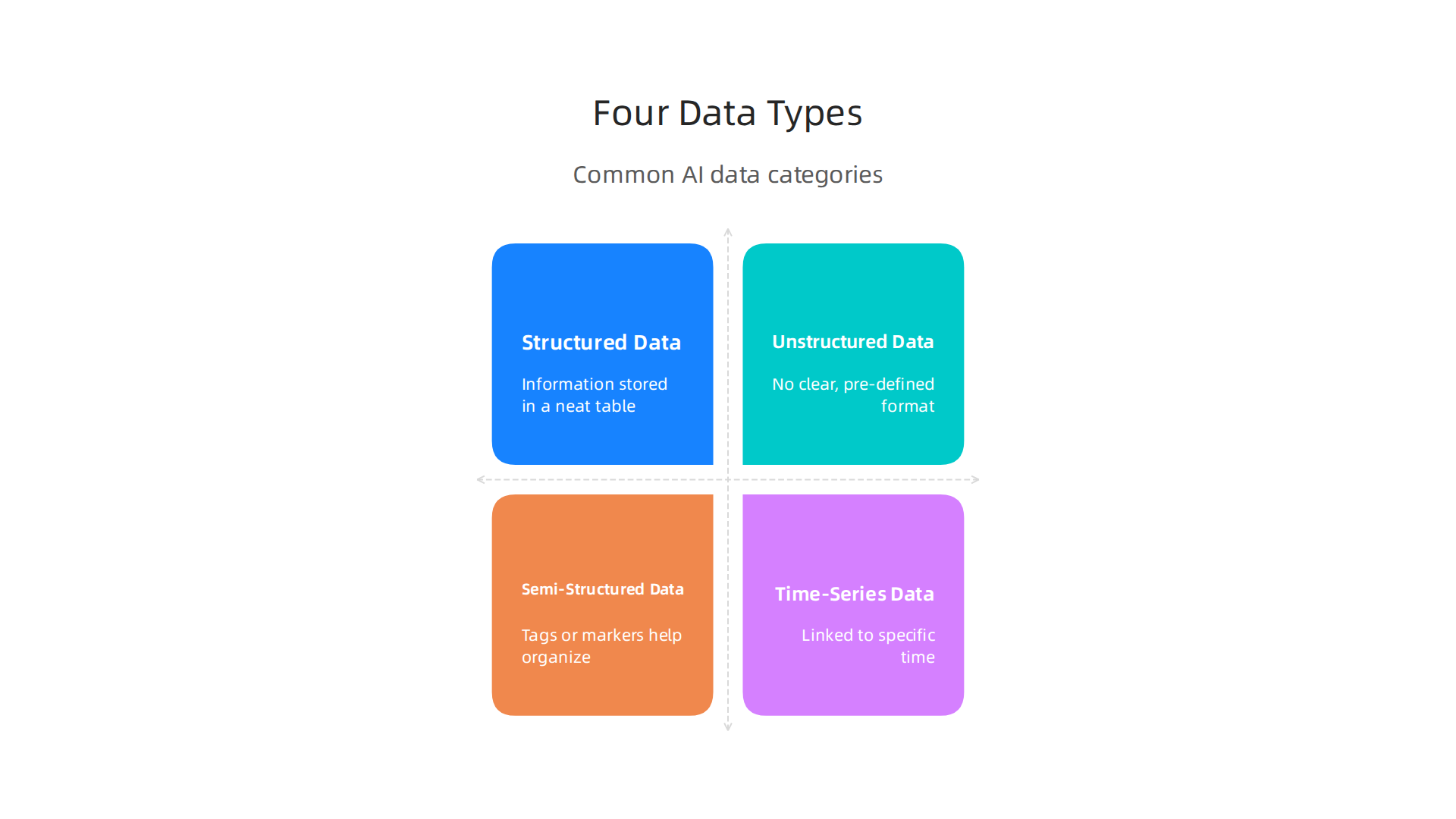
This is important because the type of data often decides what kind of tools and methods you’ll use in your introduction to data science projects.
Structured Data
Think of structured data like information stored in a neat table. Each piece of information, or data point, fits into a specific spot, like columns and rows in a spreadsheet or a database. It’s very organized, making it easy to search, sort, and analyze.
- Examples: Customer names and addresses in a database, numbers from sales records, inventory lists, or financial figures.
- Why it’s important: Structured data is easy for computers to understand and work with. Most traditional data analytics and many AI models, especially those for predictions, do very well with this kind of data.
Unstructured Data
Unstructured data is the opposite of structured data. It doesn’t have a clear, pre-defined format. It’s more like a pile of different things without a proper filing system. This type of data is everywhere in our world.
- Examples:
- Text: Emails, social media posts, customer reviews, articles, books.
- Images: Photos, scanned documents, medical scans.
- Audio: Voice recordings, music, podcasts.
- Video: Movies, security footage, online clips.
- Why it’s important: A lot of modern AI, like models that understand language or recognize faces, is built to handle unstructured data. However, preparing this data for AI can be tricky and often involves special steps to find patterns within it. It’s a huge part of what makes AI so powerful in 2026. You can explore how smart data solutions can drive business growth by learning more about smart data solutions drive AI-powered business growth.
Semi-Structured Data
Semi-structured data is somewhere in the middle. It doesn’t have the strict table format of structured data, but it does have tags or markers that help organize it. This makes it easier to work with than completely unstructured data.
- Examples:
- JSON (JavaScript Object Notation): Used a lot for sending data over the internet, like weather forecasts or product details on a website.
- XML (Extensible Markup Language): Another way to store and share data, often used in web services.
- Why it’s important: It’s flexible but still has enough organization for computers to process it fairly easily. This type of data is a common sight in today’s internet-connected systems.
Time-Series Data
Time-series data is a special kind of structured data where each data point is linked to a specific time. The order and timing of the data points are very important.
- Examples: Stock prices over days, sensor readings from a machine every minute, daily temperature changes, website traffic hourly.
- Why it’s important: AI models can use time-series data to predict future trends or spot unusual patterns. For example, predicting what a stock price might do next or noticing if a machine is about to break down based on its sensor data. Understanding the fundamentals of data science can truly help in such scenarios Data 101: The Fundamentals of Data Science.
Choosing the right type of AI model depends a lot on the kind of data you have. Structured data might need one type of AI, while images or text need very different kinds. Learning about these data types is key to understanding what is data modeling and how to build effective AI systems. To deepen your understanding of these concepts and stay updated on the latest AI trends and data insights, consider joining a community focused on AI knowledge.
Get clear daily AI updates from The AI Newsletter Worth Reading.
After learning about the different ways data can be shaped, the next important step in your data 101 journey is understanding how we get this data and how to make sure it’s good. Even the coolest AI models need good, clean data to work right. This part of introduction to data science teaches you how to collect data wisely and check its quality.
Data collection and quality: sampling, bias, and measurement errors
Collecting data is like gathering ingredients for a big meal. You need to make sure you pick the right ones and that they are fresh and clean. For AI, this means making sure the data points you collect truly show what you want to learn about.
How we get data: collection and sampling
When you want to understand a big group of things or people, you usually can’t look at every single one. Instead, you pick a smaller group to study. This is called sampling.
Imagine you want to know how much all the students in a large school like to read. You can’t ask every student. So, you pick a sample, maybe 100 students. For your study to be fair, this sample needs to be representative. This means the small group you pick should look a lot like the big group. If you only ask students from the school’s reading club, your sample won’t be representative, and you’ll get a skewed idea that everyone loves reading. A good, representative sample helps your AI learn about the real world without being misled.
What can go wrong: bias and measurement errors
Even with good intentions, things can go wrong during data collection.

- Bias: This happens when your data leans one way too much, making it unfair or incomplete. It’s like only asking one side of a story.
- Selection bias: This is when you accidentally pick a sample that doesn’t represent the whole group. For instance, if you only gather data from online surveys, you might miss people who don’t use the internet much.
- Confirmation bias: Sometimes, people collecting data might look for information that confirms what they already believe. This can lead to ignoring data that shows a different picture.
- Measurement errors: These are simple mistakes or inaccuracies when you record the
data points.- Maybe a sensor gives a slightly wrong reading.
- Someone types a number incorrectly.
- A question in a survey is confusing, so people answer it wrong.
- Even the tools we use to collect data can have small faults.
These errors can make your AI models learn the wrong things.
Checking your data: practical steps for quality
Once you have data, you need to check it very carefully. Think of it like looking for bad spots on fruit before you use it. Poor data quality is a big problem for businesses. For example, in 2026, some reports showed that data downtime nearly doubled in one year because it took so long to fix bad data issues. Other studies found that 38% of data and analytics leaders in 2026 still saw data quality as their top data problem, even though it was 64% just a couple of years ago, showing some improvement but still a challenge 2026 State of Data Integrity and AI Readiness.
Here are some simple checks for data quality:
- Missingness: Are there gaps in your data? Are some important
data pointsjust missing? You need to decide if you can fill these gaps or if you should leave them out. - Duplicates: Do you have the same piece of information listed more than once? Having copies can trick your AI into thinking something is more important than it really is.
- Label noise: If your data has categories or labels, are they correct? For example, if you have pictures of cats and dogs, is every cat picture correctly labeled "cat"? Wrong labels can confuse your AI.
- Drift: Data can change over time. What if customer tastes or behaviors change? If your AI was trained on old data, it might not work well with new data. This change is called data drift. Keeping an eye on it helps keep your AI smart.
You can learn more about how AI uses this data by understanding Artificial Intelligence and Machine Learning Explained for 2026.
Knowing your data’s story: provenance and error
It’s super helpful to know where your data comes from and how it was collected. This is called data provenance. It’s like knowing the family history of your data. If you know the source, you can better trust its quality or understand its limits.
Documenting measurement error means writing down any known issues or likely mistakes in the data collection process. For example, if you know a certain sensor often reads a little high, you make a note of it. This helps when you’re doing what is data modeling and building AI, so you don’t accidentally rely too much on shaky data points. Understanding this is a core part of Mastering Data Foundations and Data Literacy for AI Leadership.
In short, collecting good, clean, and representative data is just as important as choosing the right data type. Without it, even the most advanced AI won’t give you useful answers.
After making sure your data is clean and of good quality, the next big step in your data 101 journey is figuring out how to store it. Just like you need the right kind of pantry for different foods, you need the right way to keep your data points safe and ready to use. This is a key part of introduction to data science because how you store data affects how fast you can use it and how much it costs.
Basic ideas for storing data
Before diving into different storage types, let’s learn some basic ideas:
- Schema: Think of a schema as the blueprint for your data. It tells you what kind of information each
data pointholds and how it’s all organized. For example, it defines if a column is for numbers, text, or dates. Having a clear schema helps keep your data orderly. - Serialization: This is like packing your data into a box so it can be moved or stored easily. It changes data from how your computer understands it to a format that can be saved on a disk or sent over a network.
- Compression: This means making your data files smaller. It’s like squishing a big pile of clothes into a smaller bag. Smaller files take up less space and can be read faster, which is super helpful when you have a lot of
data points. - Partitioning: Imagine you have a giant stack of papers. Partitioning means dividing that stack into smaller, labeled folders, maybe by date or type. This helps you find specific pieces of data much faster without looking through everything. For instance, often data is split into daily folders based on the date it was collected to make things quicker to find and use when building smart systems Building Reproducible ML Systems with Apache Iceberg.
Different ways to store your data
There are many ways to store data, each with its own good points and not-so-good points.
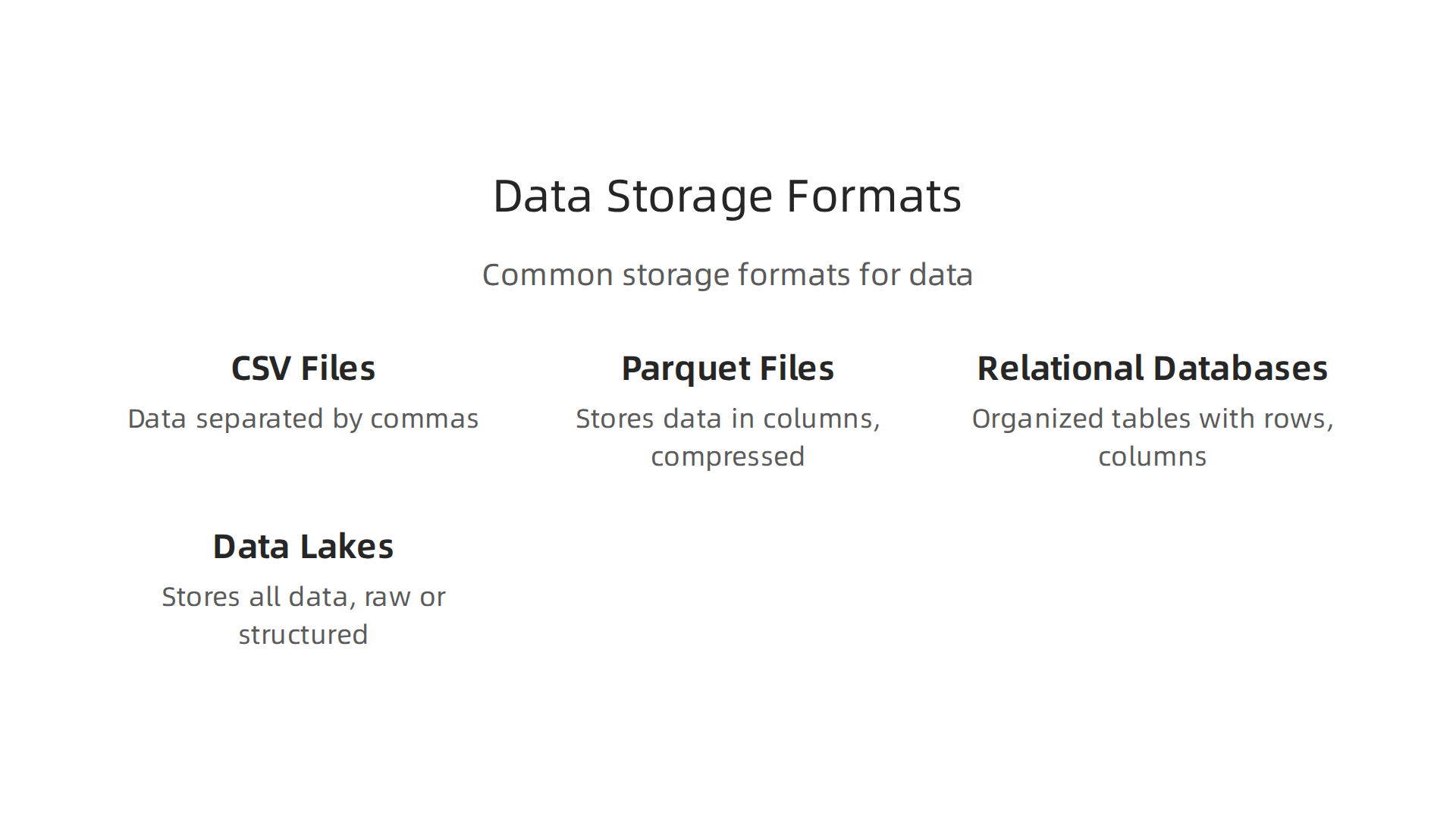
- CSV (Comma-Separated Values) Files: These are very simple text files where
data pointsare separated by commas. They are easy to understand and work with. But, they can be slow for very large amounts of data, and they don’t have a built-in schema to ensure data types are always correct. - Parquet Files: This is a very popular way to store data, especially for big projects. Unlike CSV, Parquet stores data in columns instead of rows. This means if you only need certain pieces of information, the computer only reads those columns, which makes it much faster. Parquet also uses strong compression, so files are smaller. For AI, using Parquet files for training models can reduce storage space by a lot, sometimes up to 87% compared to CSV files MLSUS03 Adopt sustainable storage options. Many experts suggest converting raw data like JSON or CSV into Parquet as soon as it enters your system Data File Formats for Data Engineering.
- Relational Databases: These are like super-organized tables with rows and columns, similar to what you might see in a spreadsheet, but much more powerful. They are great for managing structured data where relationships between different pieces of data are important. Databases make it easy to add, change, or find specific
data pointsquickly. They also make sure your data follows strict rules (has a schema). - Data Lakes: Imagine a huge, sprawling lake where you can just dump all your data, no matter its shape or size. That’s a data lake. It can store raw, unstructured data (like photos, videos, or social media posts) alongside structured data. Data lakes often use "object storage" like cloud services, which are very cheap and can hold massive amounts of information. They often use open file formats like Parquet, and newer "table formats" like Iceberg or Delta sit on top to add useful features like managing schemas and keeping track of data changes over time Lakehouse Architecture Explained.
Choosing the right storage method depends on what you need. If you have small, simple data, CSV might be fine. For big data projects and AI, columnar formats like Parquet in a data lake often offer the best balance of speed, cost, and flexibility. Understanding these formats is a core part of becoming skilled in what is data modeling. If you want to dive deeper into how companies use smart data solutions to boost their growth with AI, check out smart data solutions.
Keeping up with all the new ways to store and use data in AI can be tough. Get clear daily AI updates directly to your inbox.
The AI Newsletter Worth Reading
After choosing the right place to store your data, the next important step is to get that data ready for action. This is where "preprocessing" and "feature engineering" come in. Think of it like cooking: you have all your ingredients stored, but before you can make a meal, you need to wash, chop, and prepare them. These steps are a big part of data 101 and crucial for any introduction to data science project, as they make sure your data points are clean, useful, and in the best shape for analysis or for training smart AI systems.
Preprocessing & feature engineering: cleaning, transformations, and pipelines
Getting your data ready for use involves several key steps. These steps help turn raw information into something powerful.
Common preprocessing steps
Preprocessing means making your data tidy and correct. Here are some common things you’ll do:
- Filling in Missing Pieces (Imputation): Sometimes, your data will have gaps, like an empty spot in a form. Imputation is about filling in these missing
data points. You might fill them with the average value, the most common value, or even a special placeholder. Tools like Python’s Pandas library or specialized libraries like Feature-engine can help you do this smartly. - Making Numbers Play Nice (Scaling): Imagine you have data about both people’s ages (small numbers) and their yearly income (very large numbers). Many computer models work better if all numbers are in a similar range. Scaling makes this happen. For example, it might change all numbers to be between 0 and 1, or give them an average of zero. You can learn more about these methods in guides on scaling and transforming features.
- Turning Words into Numbers (Encoding Categorical Variables): Computers understand numbers, not words like "red," "green," or "blue." Encoding is the process of turning these word categories into numerical values. A common way is "one-hot encoding," where each category gets its own column with a 1 or 0, showing if that category is present.
- Removing Duplicates (Deduplication): Sometimes, you might have the same
data pointslisted more than once. This can mess up your analysis. Deduplication finds and removes these extra copies, ensuring each piece of information is counted only once. This is vital for maintaining data accuracy and preventing skewed results.
Principles for feature engineering and simple feature-checks
While preprocessing cleans existing data, feature engineering is about creating new and often better data points from what you already have. It’s like taking simple ingredients and combining them to make a gourmet dish.
- What is Feature Engineering? You might combine two different numbers (e.g., height and weight to get Body Mass Index), or pull out specific parts of a date (like just the month or year from a full date). The goal is to make the data more meaningful and helpful for your computer model. This process is a key part of
what is data modeling, as you’re shaping the data for a specific purpose. Libraries like NVTabular and FeatureTools offer advanced ways to automate this, as highlighted in "7 Under-the-Radar Python Libraries for Scalable Feature Engineering" for 2026. - Simple Feature-Checks: Before using your engineered features, always do quick checks. Look at how the new
data pointsare spread out. Are there any strange, unexpected values? Do they make sense for your problem? These checks help catch mistakes early on.
How to structure repeatable preprocessing pipelines and document transformations
To keep your data work organized and reliable, especially in introduction to data science, you need to build strong habits around "pipelines" and "documentation."
- Repeatable Preprocessing Pipelines: A pipeline is like a recipe for your data. It’s a set of steps your data goes through, one after another, from raw form to ready-to-use.

Making these pipelines "repeatable" means that if you run the same steps on the same raw data, you’ll always get the exact same cleaned data. This is very important for consistency and for checking your work. Experts suggest making pipeline stages unchangeable once written, so new data runs create new versions or paths instead of changing old data Reproducible Data Pipelines. This also helps prevent common issues like overfitting data in AI systems.
- Documenting Transformations: Every time you change your data (whether cleaning or engineering new features), you should write it down. What did you do? Why did you do it? This "data lineage" acts like a history book for your data, showing how each
data pointgot to its current state. Clear documentation helps others understand your work, makes it easier to fix problems, and is a best practice for data lineage in 2026. This also helps in mastering data foundations and data literacy for AI leadership.
After you’ve cleaned your data and created helpful new data points, the next big step in data 101 is to take a quick look at what you have. This means using basic statistics and pictures, or "visualizations," to check if everything looks right. It’s like glancing at your ingredients after chopping them to make sure there are no bad spots or missing pieces. These quick checks are super important in any introduction to data science project because they can show you problems before you even start building smart computer models.
Key descriptive statistics to compute
Descriptive statistics are simple numbers that tell you important things about your data. They give you a quick summary.
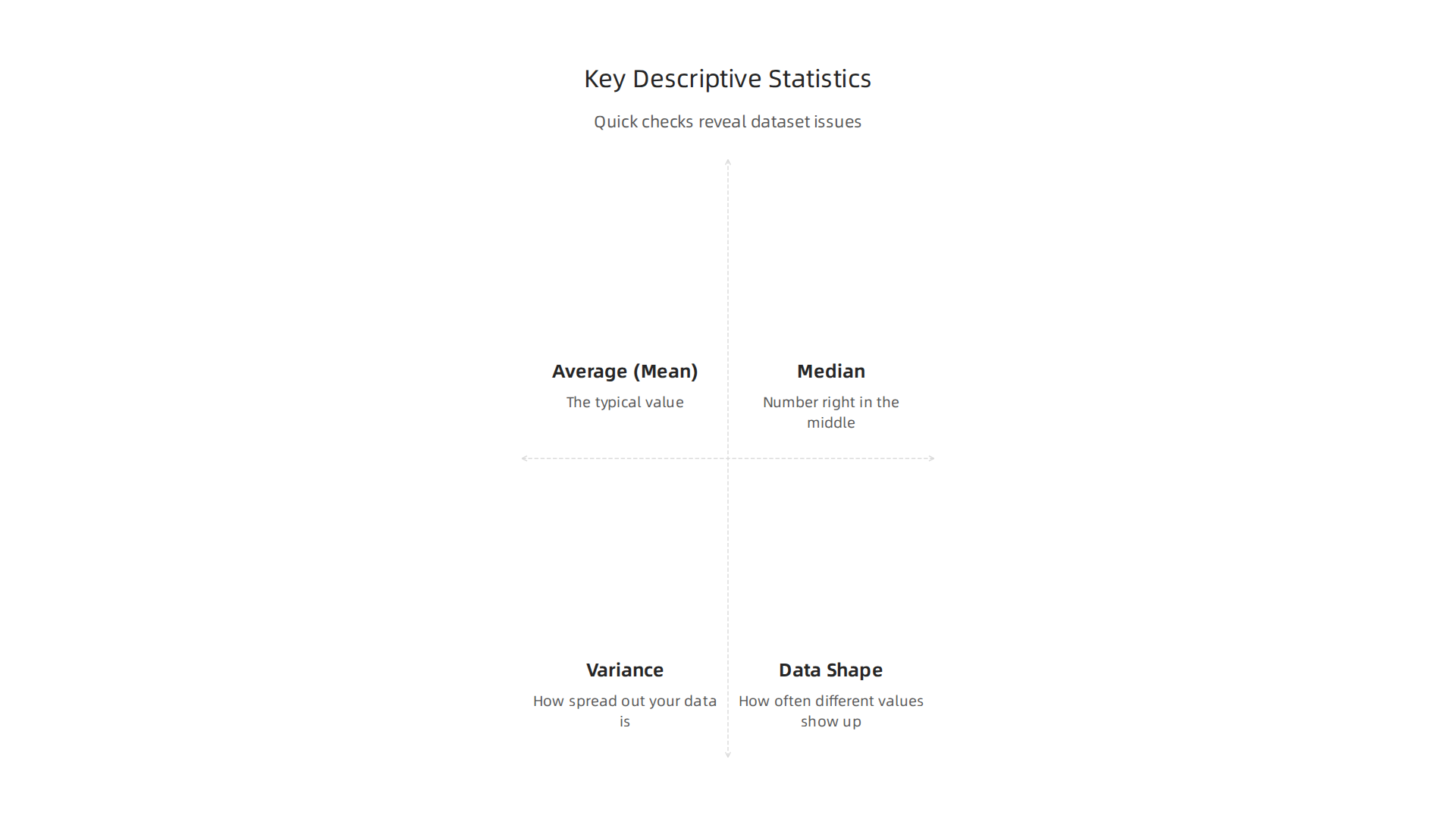
- Average (Mean): This is what most people think of as the average. You add up all the numbers and divide by how many there are. It tells you the typical value.
- Middle Value (Median): If you line up all your
data pointsfrom smallest to largest, the median is the number right in the middle. It’s helpful because it’s not easily fooled by a few very big or very small numbers (called outliers). - Spread (Variance and Standard Deviation): These numbers tell you how spread out your data is. If the variance is small, most of your data points are close to the average. If it’s large, they are very spread out.
- How Data is Shaped (Distributions): This describes how often different values show up in your data. Is most of the data clustered in one spot, or is it spread evenly? Knowing the shape of your data helps you understand it better.
- Odd Ones Out (Outliers): These are
data pointsthat are very different from the rest. They might be mistakes, or they might be very important rare events. For example, if most people in your data earn $50,000 a year, but one person earns $5,000,000, that’s an outlier. These can cause big problems if not handled carefully. Did you know that data quality issues like these can cause "data downtime," where fixing problems takes a lot of time? In 2026, many companies reported that finding data problems takes four hours or more on average, causing significant delays The Annual State Of Data Quality Survey, 2026.
Visualization techniques that quickly surface problems
Pictures can often tell a story faster than numbers. These are like x-rays for your data, quickly showing you hidden issues.

- Histograms: Imagine a bar chart where each bar shows how many
data pointsfall into a certain range. Histograms are great for seeing the distribution of your data. You can spot if your data is lopsided, has more than one peak, or has gaps. - Boxplots: These special boxes show you the middle value, how spread out the middle half of your data is, and can easily point out those "odd ones out" or outliers. They are very useful for comparing the spread of different groups in your data.
- Correlation Matrices: This is a table of numbers that shows how much two different
data pointsmove together. For example, if one number goes up, does the other number usually go up too? A picture of this table often uses colors, making it easy to spot strong relationships (or lack thereof) between features. This is a simple step to understandingwhat is data modelingfor a specific goal.
How to interpret basic results and when to escalate to more advanced analysis
After looking at these statistics and pictures, what do you do?
First, always ask if the results make sense. If your data shows that a person’s age is 200, you know something is wrong. If a histogram shows two very separate groups for what should be one type of data, it might mean you have mixed different things together. These simple checks are part of becoming good at data 101.
If you see strange patterns, too many missing data points, or a lot of outliers, it’s a sign that you might need to go back to the preprocessing step. Or, you might need to dig deeper with more advanced tools to understand why the data looks that way. Sometimes, a problem you find here might even change your overall plan for your project. Knowing when to ask for more help or do more complex analysis is a key skill in introduction to data science. For more detailed strategies on understanding and using data effectively, explore what it means to succeed as a data analyst in 2026.
Staying informed about the latest AI advancements, including how data quality is impacting new models, is essential.
The AI Newsletter Worth Reading
Summary
This guide covers the essential data concepts every AI practitioner needs in 2026, explaining why data quality and structure are the foundation of reliable models. It defines core terms—datasets, observations, features, labels, and metadata—then walks through the main data types (structured, unstructured, semi-structured, time-series) and how those types shape tool choices. The article explains practical steps for collecting representative samples, spotting bias and measurement error, and running simple quality checks like missingness, duplicates, label noise, and drift. It reviews storage formats (CSV, Parquet, databases, data lakes) and gives hands-on advice for preprocessing, feature engineering, reproducible pipelines, and quick statistical and visualization checks to catch problems early.